Select a music-video soundstage from the required performance area, camera movement, set footprint, lighting, playback, production audio, load-in, crew, and booking window.
Write down the fixed production date, release date, crew, equipment, and access requirements before comparing locations.
Start With the Music-Video Requirements
Double-check the stage, grid, included fixtures, and optional rentals against the lighting plan.
- Sound: the stage is sound-treated, not soundproof. Run a practical test of playback, dialogue, or live-audio requirements before booking.
- Continuity: record camera settings, fixture positions, output, subject marks, and set placement for every setup that must repeat.
- Booking model: Viva books one production per day with full and undivided use of the facility during the booked window.
Use the shot list and references to plan camera movement, framing, lighting, sets, playback, and production audio.
Map the Stage Floor
Map each set, camera position, lighting position, performer path, and equipment lane on the 45 × 40 ft stage.
- Verify the floor plan before building or delivering set pieces.
- Bring or arrange the backgrounds and set pieces the production requires, and confirm their dimensions and load-in before booking.
- Verify grid height, rigging, mounts, cable routes, and any large equipment before booking. Do not assume a soundstage includes a particular rig or technical setup.
Allow time for rigging, tests, resets, set changes, and technical problems instead of assuming quick turns.
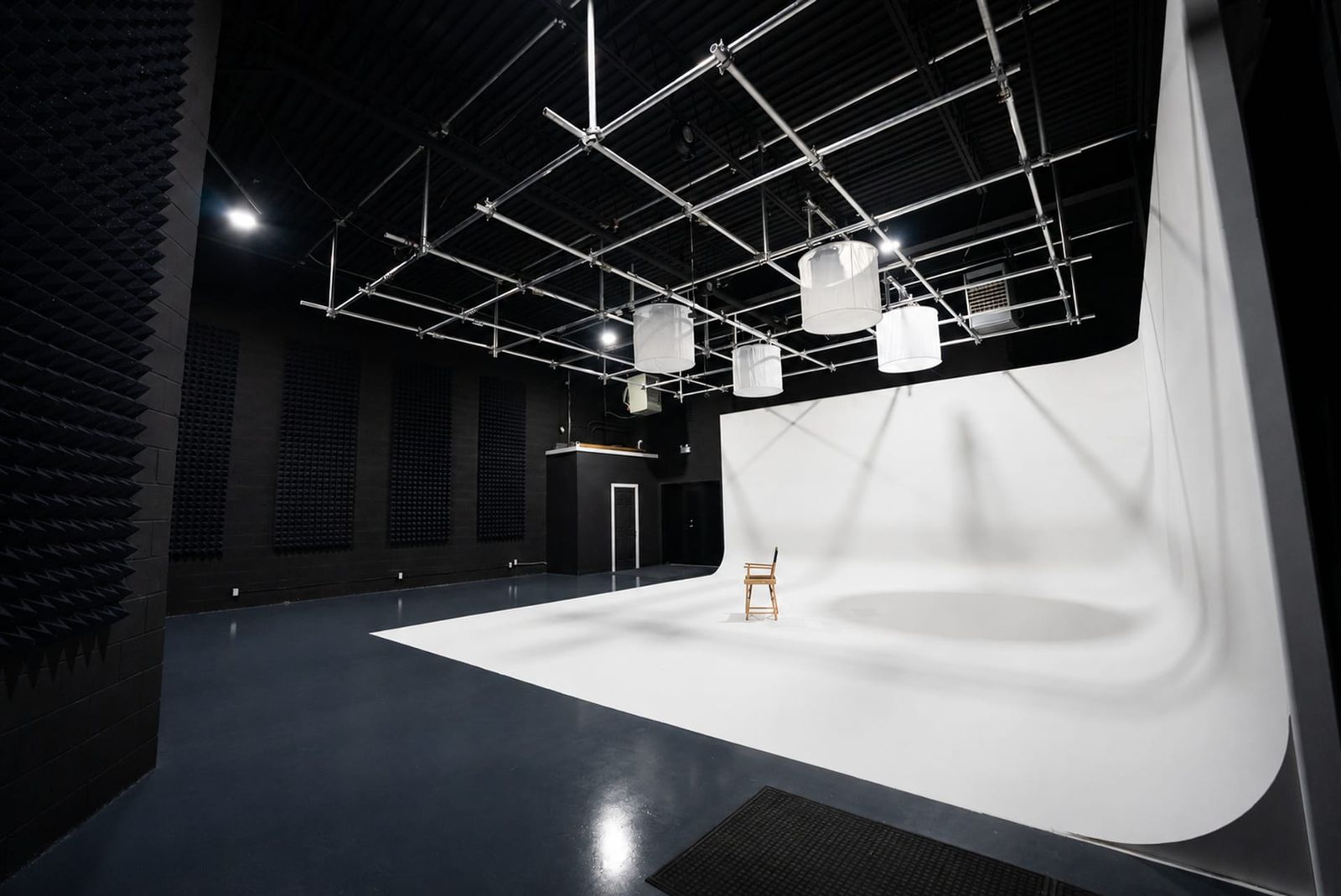
The 2,000 sq ft soundstage has a 25 × 25 ft pre-lit white cyc, an 18 ft ceiling, and a lighting grid at 13.5 ft. The base studio package includes four Aputure Nova P300c lights, six C-Stands, ten sound blankets, apple boxes, tables, and chairs. The facility has a 4 ft truck-height loading dock with an 8 × 10 ft door. Use a Tech Scout to review technical and audio requirements.
Set the Booking Date and Call Times
Set the booking date from the release schedule, crew and equipment availability, and the time required for changes before production.
- Establish call times from the confirmed route, parking, access, and load-in plan.
- The production supplies or arranges its sets, playback, camera, lighting, audio, and crew. Verify what the facility includes before load-in.
- Review the lighting, equipment, and technical plan with the studio manager before booking.
Issue the call sheet with route, parking, load-in order, access time, and role-specific call times.
Support Rooms and Crew Flow
Assign each support room to talent, hair and makeup, clients, equipment, sets or staging before load-in.
- Double-check the base package and every optional camera, lens, light, or grip item before the production date.
- Use the 200 sq ft green room for scheduled talent holding and the client lounge for client review or waiting.
- Use the 200 sq ft hair and makeup room for prep and the 1,000 sq ft flex space for planned sets or staging.
Keep set construction, equipment staging, talent holding, and client review out of the active camera and performance paths.
Confirm the Facility and Equipment Boundaries
Do not assume a music-video studio includes sets, playback, recording equipment, crew, or other built-in services.
- Two kitchens and a client lounge give the production separate off-stage areas. Double-check any other facility requirements before booking.
- Verify any playback, haze, set-build, rigging, or special-effects requirement with the studio before booking.
- Cameras, lenses, additional lighting, and grip are available separately through Viva Camera at the fixed 25% studio-client discount.
Include setup, tests, changes, shooting, playback, and wrap in the booking window; timing depends on the production plan and conditions.
Record the Booking Decision
Select the space by comparing its dimensions, load-in, support rooms, equipment, sound conditions, and booking terms with the production plan.
Use a Tech Scout to test the music-video floor plan, playback or dialogue needs, load-in, lighting, and booked window. Schedule a free Tech Scout.